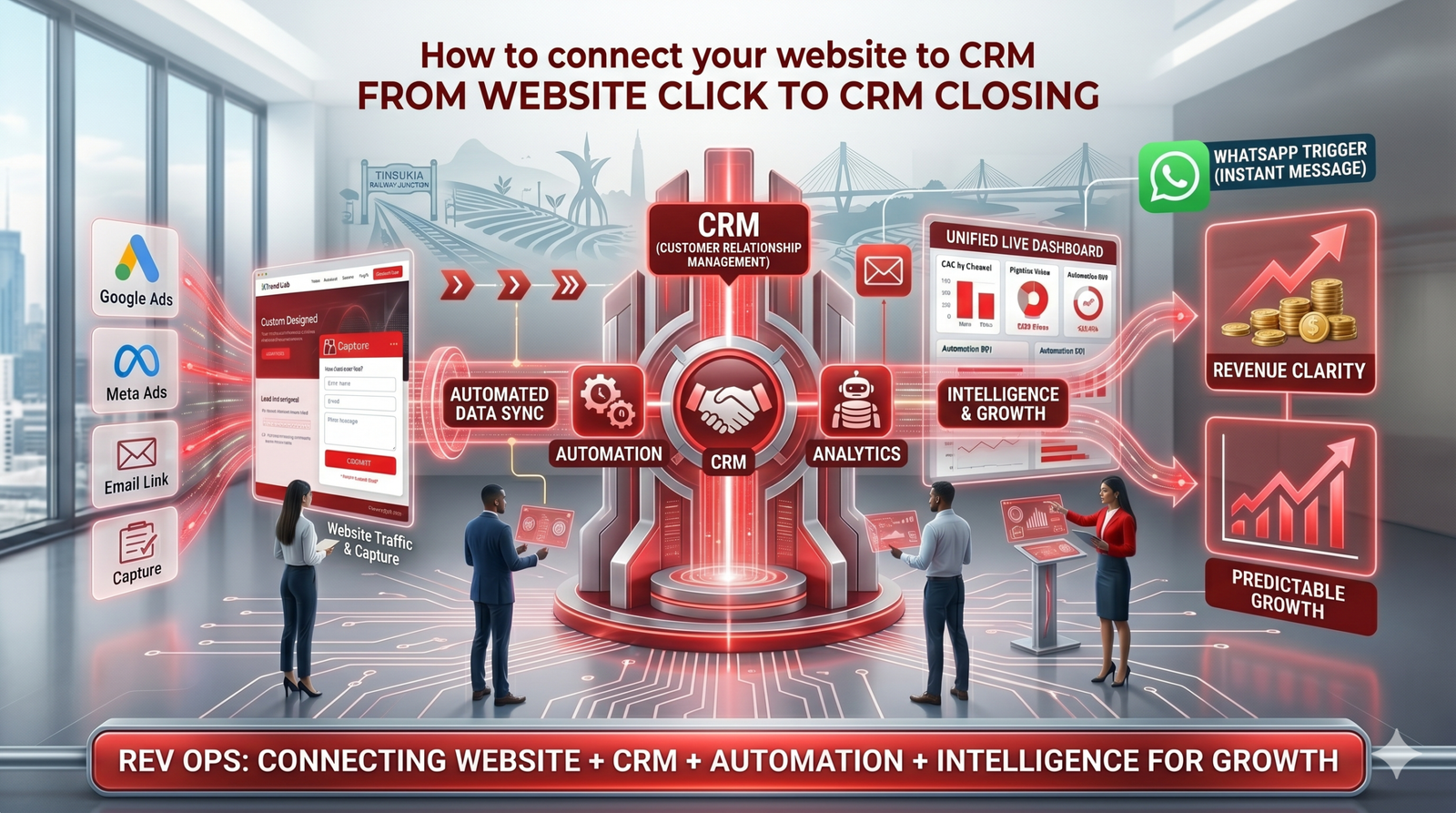
Most businesses treat their website as a standalone brochure, but in a modern revenue system, your website is the primary entry point for your entire sales engine. To achieve total revenue clarity, you must move beyond simple form submissions and build a deep, automated connection between your website, CRM, and follow-up tools.
Connecting a website to a CRM involves deploying a tracking layer to capture source data (UTMs), integrating lead forms via API or direct connectors, and setting up automation triggers. This ensures that every lead is recorded with its original marketing source and instantly entered into an automated follow-up sequence.
The Architecture of a Connected Lead Flow
At XTrend Lab, we follow a 5-layer architecture to ensure data flows seamlessly from the first click to a closed deal:
1. The Tracking Layer (Preparation)
Before you connect the “pipes,” you need to ensure your website has intelligence.
- UTM Framework: Tag all incoming traffic from Meta, Google, and SEO with campaign parameters.
- Behavioral Tracking: Use custom scripts to record visitor intent, heatmaps, and session data so you know how they are interacting with your site before they even convert.
2. The Capture Layer (The “Pipe”)
Your website’s forms, chat widgets, and WhatsApp buttons must be technically linked to your CRM.
- CRM-Connected Lead Capture: Instead of just receiving an email notification, every form submission should trigger a “push” of data directly into your CRM database.
- Data Mapping: Ensure that specific website fields (Name, Phone, Email) are mapped to the correct properties in your HubSpot, Zoho, or XTrend CRM.
3. The Automation Layer (The Action)
Connecting the website to the CRM is only half the battle; the system must then do something with that data.
- Instant Triggers: Configure your system so that a new lead in the CRM immediately fires a WhatsApp message or an automated email drip.
- Lead Routing: Automatically assign the lead to the correct sales representative based on the product they were viewing or their geographical location.
3 Ways to Build the Connection
Depending on your current tech stack, there are three primary ways to bridge the gap between your website and your CRM:
A. Direct Native Integration
Platforms like HubSpot and Zoho offer native plugins or “tracking codes” that automatically sync website forms with the CRM. This is the fastest way to get basic data flowing.
B. Middleware (Zapier/Make)
If your tools don’t have a direct “handshake,” middleware acts as a bridge. For example: Website Form → Zapier → CRM + WhatsApp API. This allows for complex custom workflows.
C. Custom API & RevOps Build
For businesses with specific workflows (like real estate or custom e-commerce), a custom build ensures that every unique data point—like property interest or specific lead scores—is captured without error.
FAQs
How do I automate lead tracking from my website?
Automated lead tracking requires a tracking script on your website to capture UTM parameters and a direct integration (API or middleware) to pass that data into your CRM every time a lead converts.
Can I connect my website to WhatsApp for automation?
Yes. By using WhatsApp automation triggers, you can capture lead data from a website click and automatically start a WhatsApp conversation while simultaneously creating a record in your CRM.
What are the benefits of connecting my website to a CRM?
Connecting your website to a CRM eliminates manual data entry, provides clear channel attribution, ensures instant follow-ups, and allows you to track the full customer journey from the first click to the final sale.
Stop Running Disconnected Systems
If your website and CRM are “islands,” you are losing leads and leaking revenue. At XTrend Lab, we specialize in RevOps implementation to connect your traffic, capture, and sales layers into one unified system.
Book a free 30-minute audit today. We will map your current setup and show you exactly how to build a fully automated revenue engine.
XTrend Lab Strategy Team
We are a collective of data engineers, strategists, and digital architects. We write about what works in the real world, based on our experience building systems for growing enterprises.